 aisma
aisma
Real Aisma edit · Previous version
One turn. Four looks.
Example requestdress her in the red suit from the photo
AI VIDEO TRANSFORMATION GUIDE
To transform a video with AI, upload a clip you already shot, describe the change in plain words and add a photo if you want a specific look. Aisma edits what you describe and keeps the motion and the camera as filmed. This guide follows one 10-second clip into four outfits.
Paid editing · MP4 or MOV · 2–60 seconds · Review credits before generating.
Updated October 19, 2026
One turn. Four looks.
Example requestdress her in the red suit from the photo
Pick one MP4 or MOV clip from 2 to 60 seconds long, up to 500 MB. Vertical, square and horizontal clips all work, and the result comes back at the same length and framing.
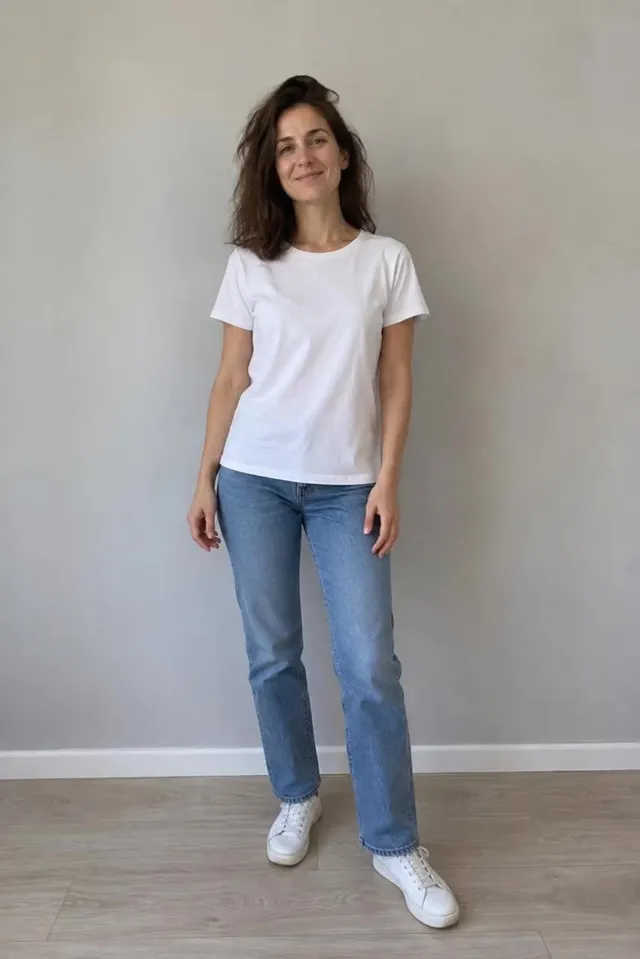
Our example is a 10-second vertical clip. A woman in a white T-shirt and jeans takes two steps toward the camera and makes a quarter turn by a pale wall. She’s evenly lit and in frame from head to toe, so every outfit has room to show.
Longer videos go in parts of up to 60 seconds, one edit per part.
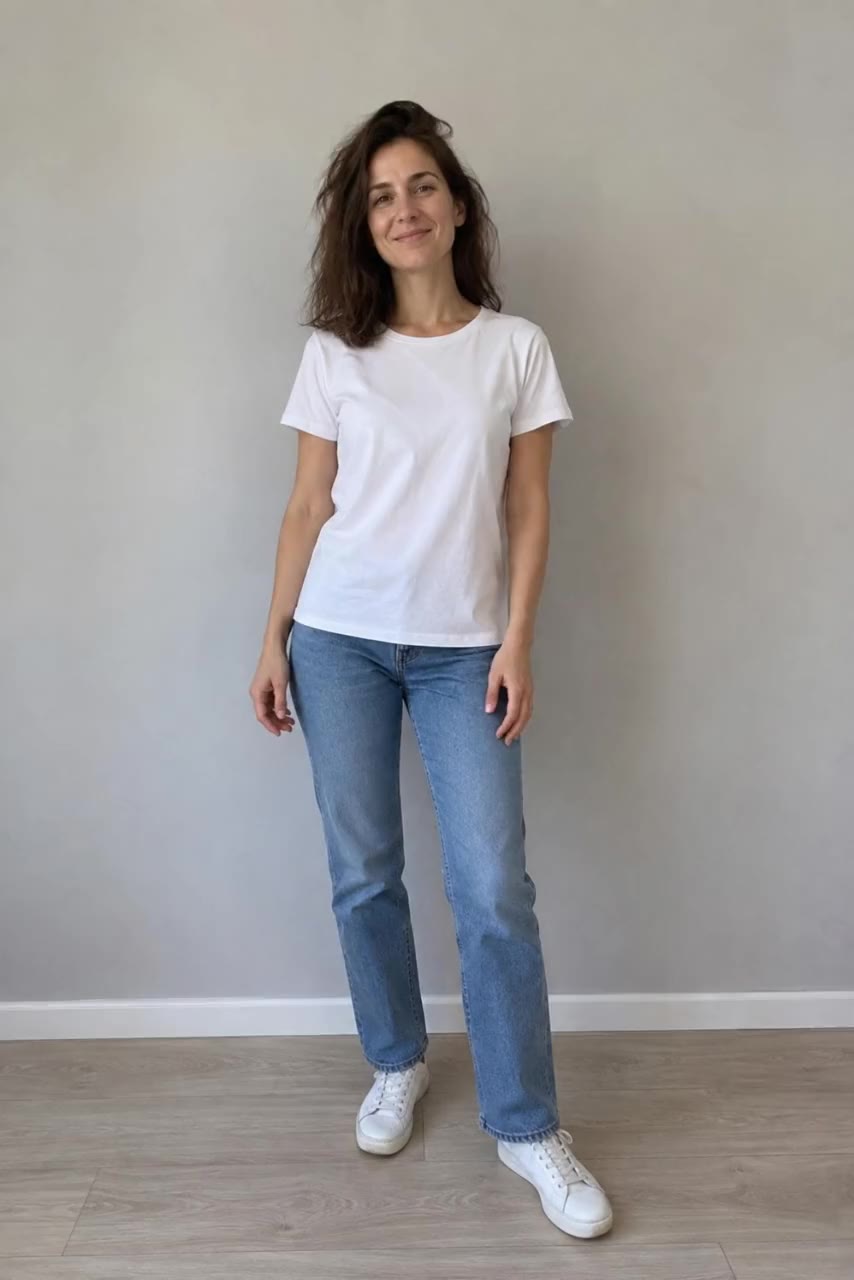 Our example video
Photos are optional, and one edit takes up to 10. Add one when the exact look matters, like a particular outfit or product.
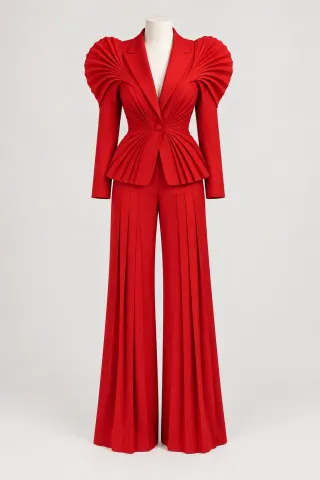
For each look we used a single picture of the outfit alone on a headless dress form, against a plain backdrop. With nothing else in the photo, there’s no doubt about what to copy. The prompt also tells Aisma to treat the dress form only as an outfit reference.
Use JPEG, PNG or WebP, up to 20 MB each. With several photos, refer to them by number: Photo 1, Photo 2.
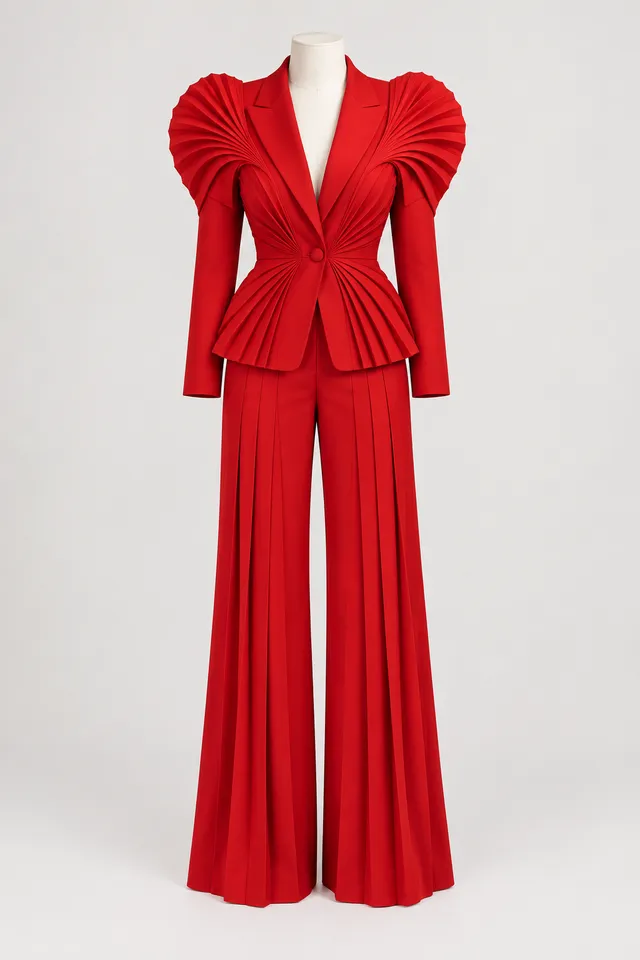
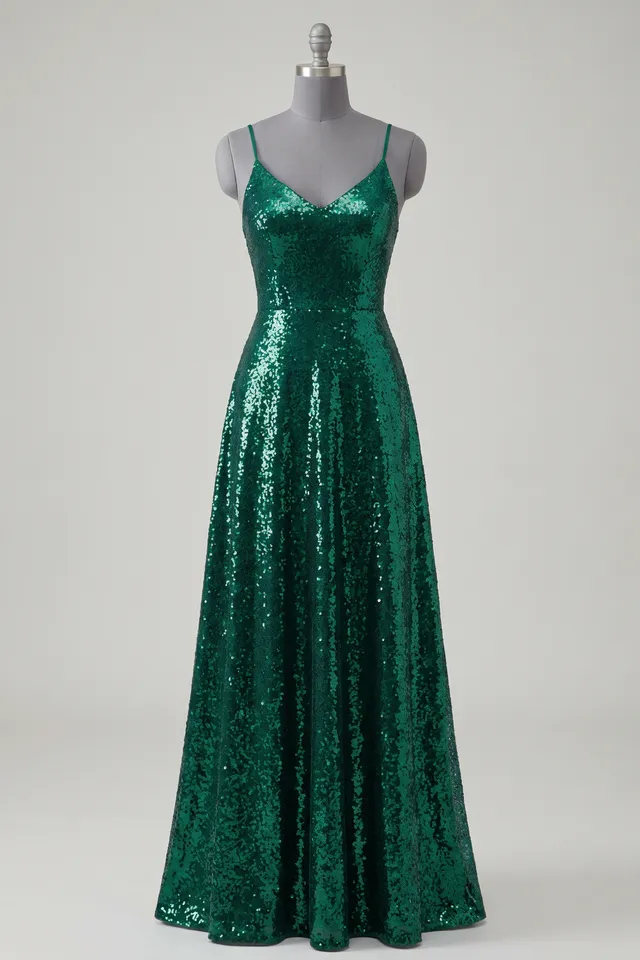
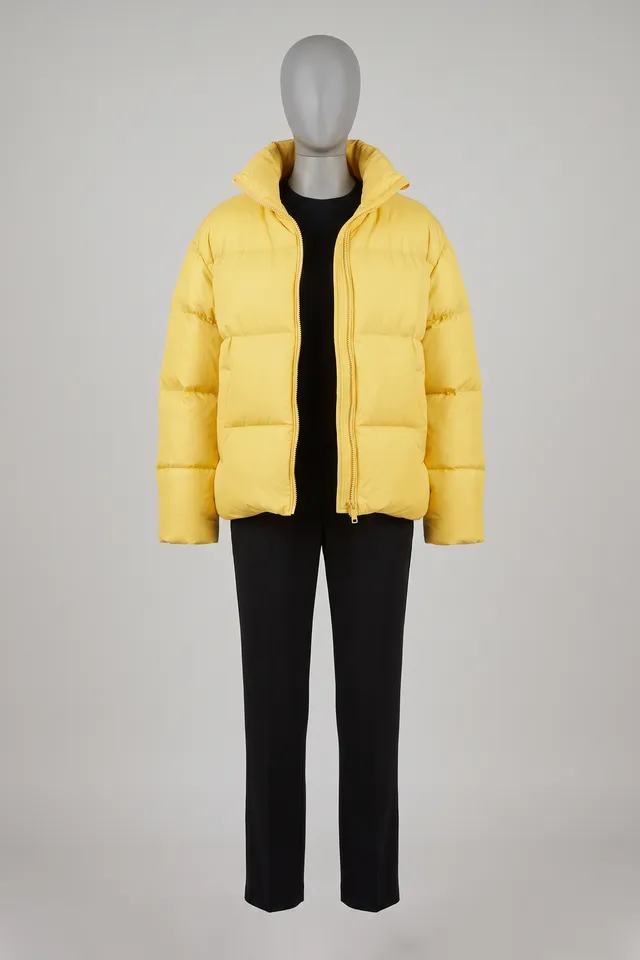
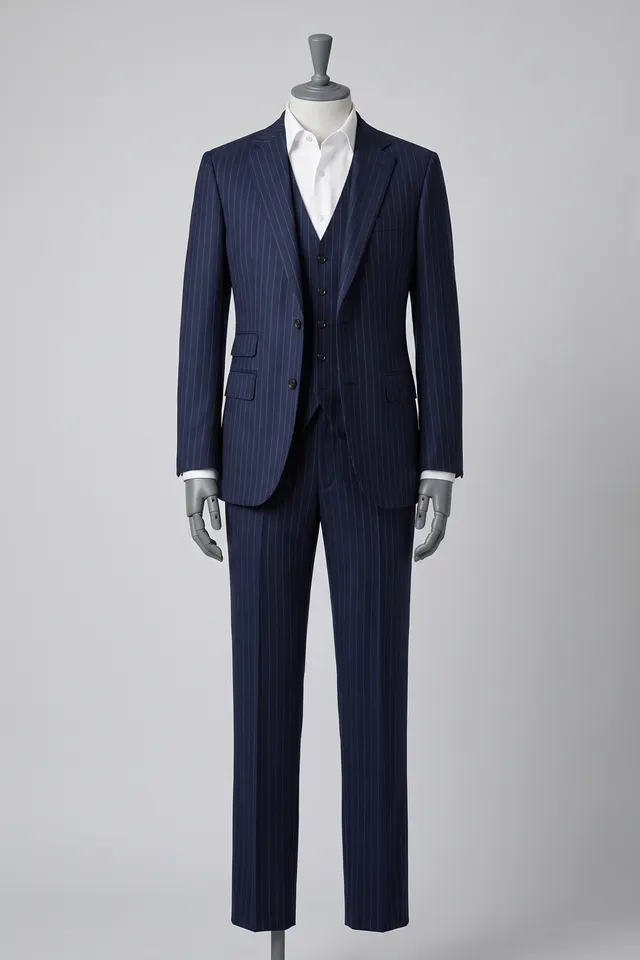
The clothes. Not the mannequin.
Say what should change, then what should stay. The example request in the player above sums up the red look in nine words: “dress her in the red suit from the photo.” The full prompt we submitted spells it out, from the clothes to replace to the list of what to keep.
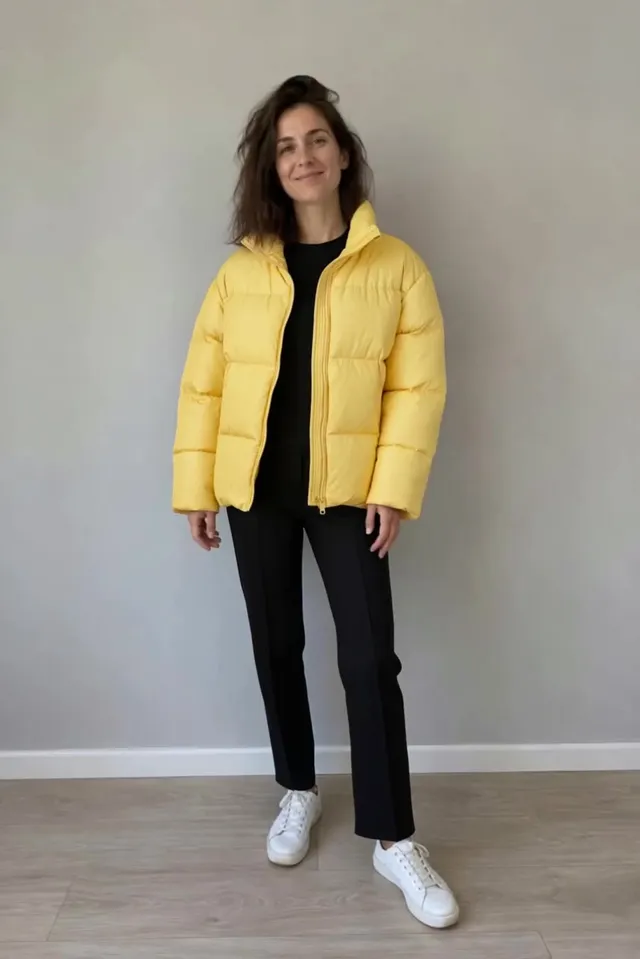
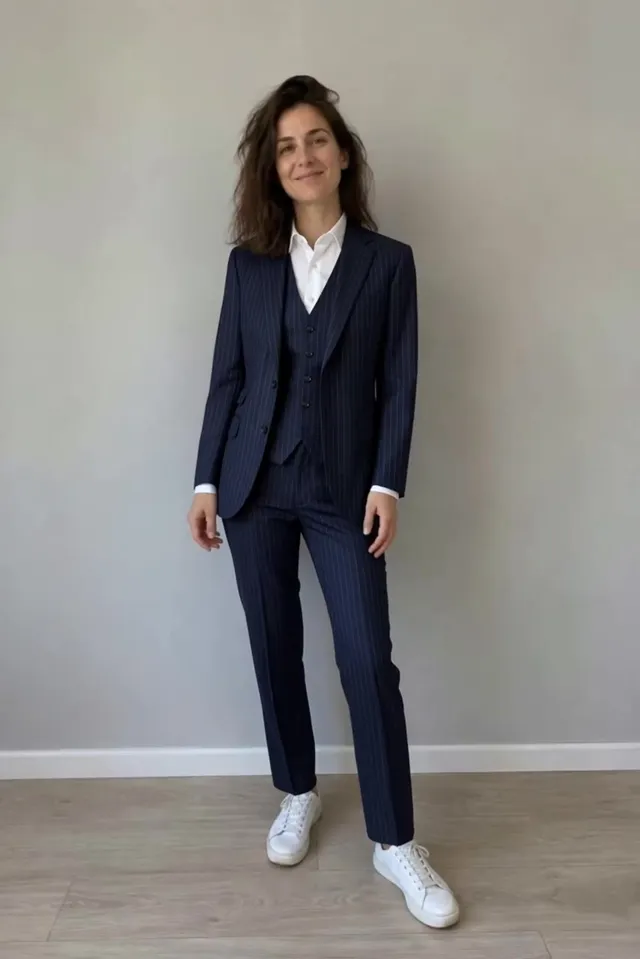
The other three prompts follow the same pattern and change only the outfit. That’s a habit worth copying: keep your “what stays” sentence the same and change one thing at a time, and the results are easy to compare.
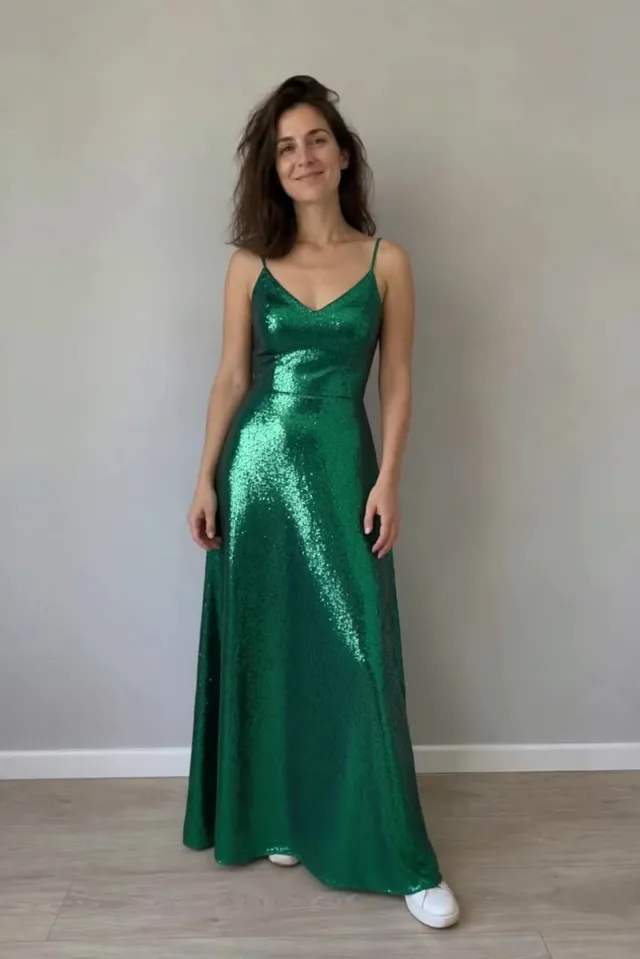
Your keep list matters. The prompt kept her sneakers, so even the emerald gown came back with white sneakers under the hem. If you want new shoes, ask for them.
A request can run up to 2,000 characters, but one or two clear sentences usually work best. Small details can come out differently from one run to the next.
THE FULL PROMPT · The couture turn.
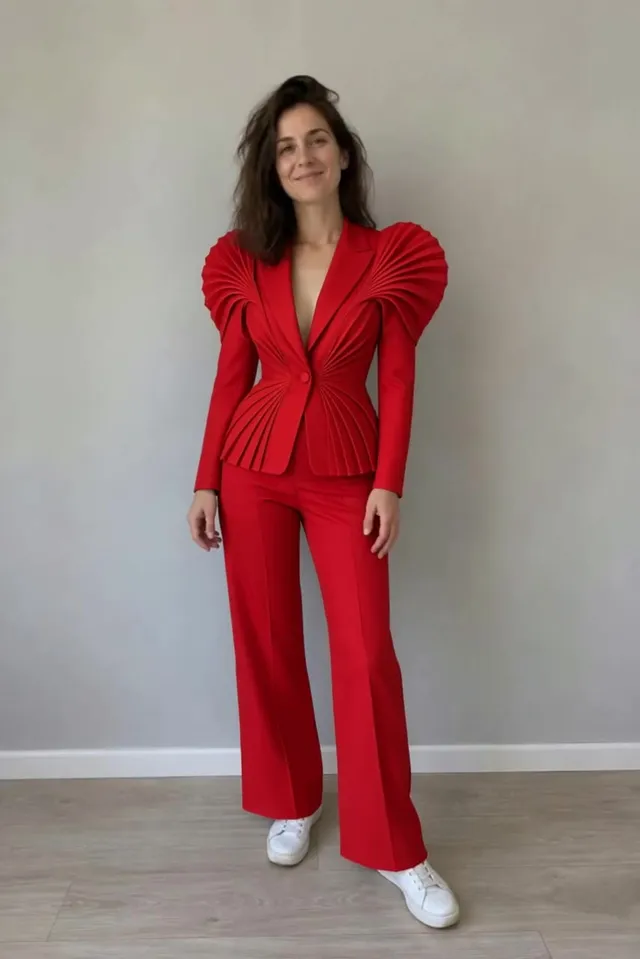
Replace the woman's white T-shirt and blue jeans with the complete scarlet pleated pantsuit shown in Photo 1. Preserve her face, hair, sneakers, body movement, the wall and lighting. Treat the mannequin only as an outfit reference.
Photo 1 is the scarlet sculptural pleated pantsuit on a headless dress form.
Choose 720p or 1080p; every account gets both. Before anything renders, the Generate button shows the price in credits, and pressing it reserves that amount. If part of the edit fails, those credits go back to your balance.
Each second of video costs 8 credits at 720p or 16 at 1080p. Our clip is one continuous 10-second shot, so each look costs 80 credits at 720p or 160 at 1080p. A clip with many quick cuts costs a little more, because every shot counts in whole seconds.
On the web, Aisma sometimes stops to ask a quick question first, like which photo belongs to which person. If you leave it for about five minutes, it carries on with its best reading.
CHECKLIST
The task page shows progress while Aisma works. The finished video lands in your private Library as an MP4 with your original audio, ready to save to your device or share.
Here’s what the four requests did to the same 10 seconds:
In all four she keeps her face and her turn, and the wall and the light stay put. We ran each request once and kept every result.
Without a weekly plan, a finished edit stays in your Library for 72 hours, so save your copy. If one part misses, Edit a clip redoes only that part, at a price you see first.
EXAMPLE REQUESTS
Wording you can adapt. Each card links to real edits of the same kind.
Etsy listing video
Swap the candle in my hand for the amber jar in Photo 1. Keep my grip and the shelf behind it.
What changes
The product. Your hand and the shelf stay as filmed.
Photograph the product on a plain background, and check labels and small print before you post.
See product swapsReal estate walkthrough
Remove the trash cans and the garden hose from the driveway. Keep the house and the camera move.
What changes
The clutter goes, and the space is filled in from the surrounding scene.
Name every item that should go. One request can clear several.
See object removalsWedding video
Change the parking lot behind the couple to a vineyard at sunset. Keep both of them and the camera move.
What changes
The place behind them, and the light on them.
Describe the place and the time of day. Their movement stays as filmed.
See background changesShopify lookbook video
Put her in the denim jacket from Photo 1. Keep her face, hair and walk.
What changes
The jacket, on the same walk.
Use a photo of the garment alone. For a color change, words are enough, like “make her T-shirt bright red.”
See outfit changesTailgate video
Make it a snowy game day. Keep everyone, the truck and the grill as filmed.
What changes
Snow and winter light around the same people.
Weather and time of day need no photo. Name what should stay.
See edits made from words aloneHoliday video card
Turn the whole clip into a paper cutout scene. Keep everyone’s movement and the camera.
What changes
Every surface in a new material, people included.
To keep people as filmed, restyle only the background.
See restylesA FEW GOOD QUESTIONS
It means changing what’s inside a clip you already have, such as the clothes, the place or a stray object. The person still moves the way they moved, and the camera does what it did. Text-to-video tools make a new clip from a description; transforming starts from yours, which is why it’s also called video to video AI.
Clips where the thing you want to change is large in the frame and easy to see. Our example is an easy case: the camera doesn’t move and nothing covers the outfit. Try a new idea on a short clip first; 5 seconds at 720p costs 40 credits.
Words alone handle places, weather, materials and cleanups. A photo helps when the exact look matters, such as a specific jacket or product, or a person who has agreed to it. One edit takes up to 10 photos; with several, call them Photo 1, Photo 2 and so on.
You pay in credits: 8 per second of video at 720p or 16 at 1080p, so a single-shot 10-second clip like ours is 80 or 160 credits. The editor shows the exact number before you press Generate, and credits for any part that fails return to your balance. Credit packs start at $1.99 for 100 credits; weekly plans start at $9.99 for 1,000 credits a week. New accounts on the web can prepare their first three edits before buying credits: Aisma reviews the clip and asks a couple of quick questions. Rendering always uses credits. All prices are on our pricing page.
Edits take minutes, and longer clips take longer. You’ll see progress on the task page, and the result appears in your private Library when it’s done.
Yes. One request can ask for several changes, but results are most predictable with one clear change at a time. You can also work in rounds, because a finished edit in your Library can be the starting point for the next one. To limit a change to part of the clip, give the time, like “from 0:05 to 0:12.”
Yes. Open the result, choose Edit a clip and say what should be different there; you’ll see that part’s price before it runs. To try a different request on the whole clip, recreate the edit from your Library. Parts that fail, or that the automatic safety check stops, aren’t charged.
Yes. Your original audio stays, and the result has the same length and framing as your clip, so nothing gets cropped. You get an MP4 at 720p or 1080p.
Anything from 2 to 60 seconds, as an MP4 or MOV file up to 500 MB, shot vertical, square or horizontal. For anything longer, edit it in 60-second parts and join them in the editor you already use.
Today every Aisma edit starts from footage you’ve already shot. Making brand-new videos from a text prompt or a single photo is on our roadmap. Tell us at support@aisma.ai what you’d create with it; that kind of detail shapes what we build next.
Yes. All four looks are real Aisma edits of the one 10-second clip at the top of this guide, and each plays in full under Full Aisma edit. Examples marked Previous version were recorded with a previous version of Aisma. Before → After views show the original and the edit at the same moment of the clip, never cropped, sped up or retouched. Your result depends on your clip and request.
YOUR NEXT EDIT STARTS HERE
Paid editing · MP4 or MOV · 2–60 seconds · Review credits before generating.