 aisma
Remove a person or an object
Name what should go by how it looks and where it is; Aisma fills the space from the scene. A real request: “remove the white SUV parked at the curb”.
Remove objects from videoAisma’s video editing MCP server lets Claude, Cursor and other AI agents edit a video you already shot. The agent sends the clip with a brief in plain words and optional reference photos, and Aisma returns the edited video privately to your Aisma Library.
Add https://api.aisma.ai/mcp to any client that supports remote MCP servers, then sign in with OAuth or send a personal API key.
Paid editing · Your Aisma credits · Price quoted before you start

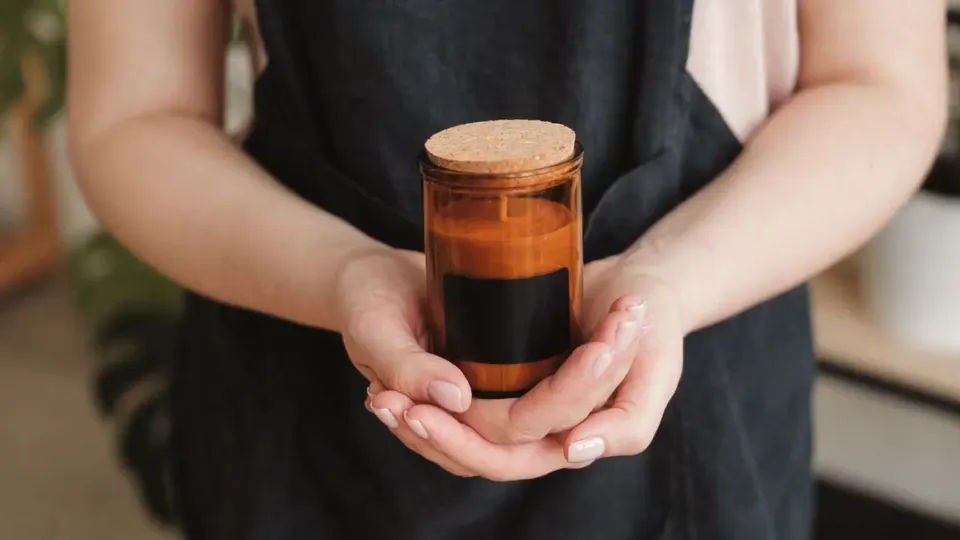
swap the candle for the amber jar in the photo
What stays
What changes
What you bring
An MCP client, an Aisma account signed in with Google, Apple or email, credits, and a clip of 2 to 60 seconds. Reference photos are optional, up to 10.
How it works
Add https://api.aisma.ai/mcp as a remote MCP server, then sign in with Aisma or send your API key.
The agent uploads a clip or picks one from your Library, writes what should change, adds up to 10 photos and gets a quote.
You approve the quoted credits, start_edit runs the edit and the agent hands you a private link. The video waits in your Library too.
Connect
Any client that supports remote MCP servers over Streamable HTTP can connect, and dynamic client registration means there is no client ID to copy.
Run one of these in your terminal: the first signs in with OAuth, the second sends a personal API key.
claude mcp add --transport http aisma https://api.aisma.ai/mcp
# or with a personal API key
claude mcp add --transport http aisma https://api.aisma.ai/mcp --header "Authorization: Bearer $AISMA_API_KEY"In ~/.cursor/mcp.json, or .cursor/mcp.json inside a project. To use a key, add "headers": { "Authorization": "Bearer aisma_live_…" } next to url.
{
  "mcpServers": {
    "aisma": { "url": "https://api.aisma.ai/mcp" }
  }
}In .vscode/mcp.json:
{
  "servers": {
    "aisma": { "type": "http", "url": "https://api.aisma.ai/mcp" }
  }
}Open Settings → Connectors → Add custom connector and paste https://api.aisma.ai/mcp.
Prefer a key? Create one under Profile → Settings & help → Connected apps and keys and send it as Authorization: Bearer aisma_live_… from any client that lets you set headers.
Uploading a new clip takes a client that reads your files and runs commands, as Claude Code, Cursor and VS Code do: the agent PUTs the file to the link create_upload returns. Any client can reuse videos from your Library.
MCP tools
The server lists nine tools that cover a whole edit. Each declares through MCP annotations whether it only reads or changes something, and answers with structured content that matches its output schema.
Calling start_edit again for the same quote returns the edit it already started, and from protocol revision 2025-06-18 get_result_link also returns the video as a resource link.
| Tool | What it does | Scope | Spends credits |
|---|---|---|---|
create_upload | A one-time HTTPS link and an asset id; the agent PUTs the video or photo there itself. | media:write | No |
get_asset | Whether an upload is uploading, being checked, ready, failed or expired. | media:read | No |
use_library_video | Makes a finished Library video the start of a new edit. | media:write | No |
quote_edit | Prices this clip, brief, photos and quality. Nothing is charged; the quote holds for 15 minutes. | jobs:write | No |
start_edit | Starts a quoted edit and reserves its credits. Marked destructive, so the agent asks you first. | jobs:write | Yes, once you approve |
get_job | Status and confirmed progress, then resultReady once the video is stored. | jobs:read | No |
list_library | Your Library, newest first, with each video’s status and whether it can start a new edit. | jobs:read | No |
get_result_link | A private link to the finished video, good for one hour. | media:read | No |
get_account | The balance in credits and what remains of each limit on this connection. | account:read | No |
Sign-in
An MCP client signs in with OAuth 2.1: authorization code with PKCE, rotating refresh tokens and dynamic client registration. Aisma’s consent screen names the client and lets you pick its scopes and, if you like, a monthly credit limit.
Every scope the tools use is selected for you; webhooks:write, which only the REST API’s webhooks need, stays off.
A personal API key suits scripts and clients that can send a header. Create it under Profile → Settings & help → Connected apps and keys; it starts with aisma_live_ and is shown once.
Each connection and key has its own limits, from a monthly credit limit to how many edits run at once; get_account returns what is left. Change them under Connected apps and keys, where revoking a key or disconnecting an app stops it at once.
Use cases
Name what should go by how it looks and where it is; Aisma fills the space from the scene. A real request: “remove the white SUV parked at the curb”.
Remove objects from videoSwap a whole outfit or one garment, from words or a photo of the garment. A real request: “change his red puffer jacket to a denim jacket”.
AI video clothes changerSend clear portrait photos, and the new face keeps the gestures and the camera. A real request: “replace the man with the guy from the photos”. Use photos of people who have agreed to it.
Video face swapPut someone else in the shot, clothes and all, from photos or from words. A real request: “replace the man on the bench with an astronaut”.
Replace a person in a videoKeep the person and the camera move, and change the place around them with no green screen. A real request: “change the gray wall behind him to a cozy home office”.
Video background changerPut a different product in the same hands from one photo of it. A real request: “swap the bottle for the blue one in the photo”.
Product swap videoName a material or an art style, such as wool, paper or clay, and the motion stays as filmed.
AI video restyleDescribe one physical event in the frame rather than a filter. A real request: “make the petals fly off the flowers around her arm”.
AI video effectsWhat you get back
Remote server
Questions about the MCP server
Yes. Every connection and key belongs to an Aisma account signed in with Google, Apple or email, and each edit uses that account’s credits and lands in its Library.
Any client that supports remote MCP servers over Streamable HTTP with OAuth or an API key. The setups above cover Claude Code, Claude.ai, Claude Desktop, Cursor and VS Code.
A clip can run 2 to 60 seconds and weigh up to 500 MB, as an MP4 or MOV file. Each edit can carry up to 10 JPEG, PNG or WebP reference photos of up to 20 MB each.
Yes. Uploads and results are private to your account, and every link to them is signed and short-lived. The privacy policy explains how your data is handled.
Edits are priced by the second, in the connected account’s Aisma credits. quote_edit prices the exact edit before anything is charged, and unused credits go back to the balance. Rates, packs and plans are on the pricing page.
Only start_edit spends credits, and its description tells the agent to confirm the price with you first. A connection can also carry a monthly credit limit and a limit per edit.
In the Aisma web app it can, when a request needs them. Over MCP an edit runs straight from the clip, brief and photos the agent sends, so the agent never waits on a person midway; name what should change and what must stay in the brief.
Yes. list_library shows which of the account’s videos can start a new edit, and use_library_video makes one the source of the next, so an agent can chain edits without uploading again.
Yes. The same edits run over REST under https://api.aisma.ai/v1, with webhooks when an edit finishes. The developers page documents both, with a curl quickstart, the scopes and every error code.
Updated
Write to support@aisma.ai about what you’re building or about higher limits.
The developers page has the full API reference, and the help center answers product questions.