 aisma
How long can a video be in Aisma?
Clips of 2 to 60 seconds, the files and shapes Aisma takes, and photo sizes.
Video length and formatsAisma keeps your framing, the length of your clip and its original audio, and changes what your request describes. People’s moves, the camera move and the rest of the take stay as you filmed them, and the edit is private in your Library.
Updated November 20, 2026
Jump to the questions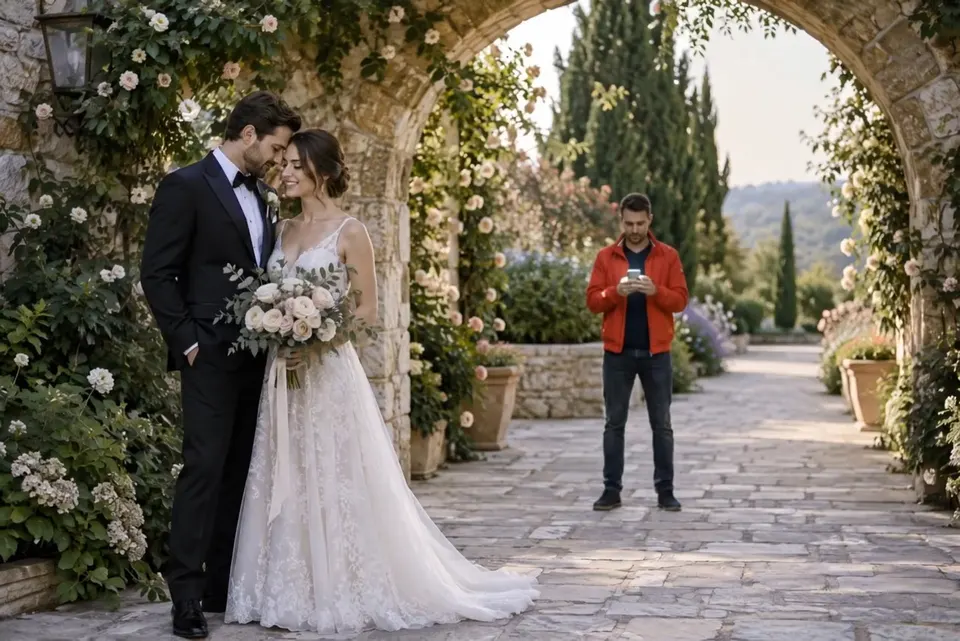
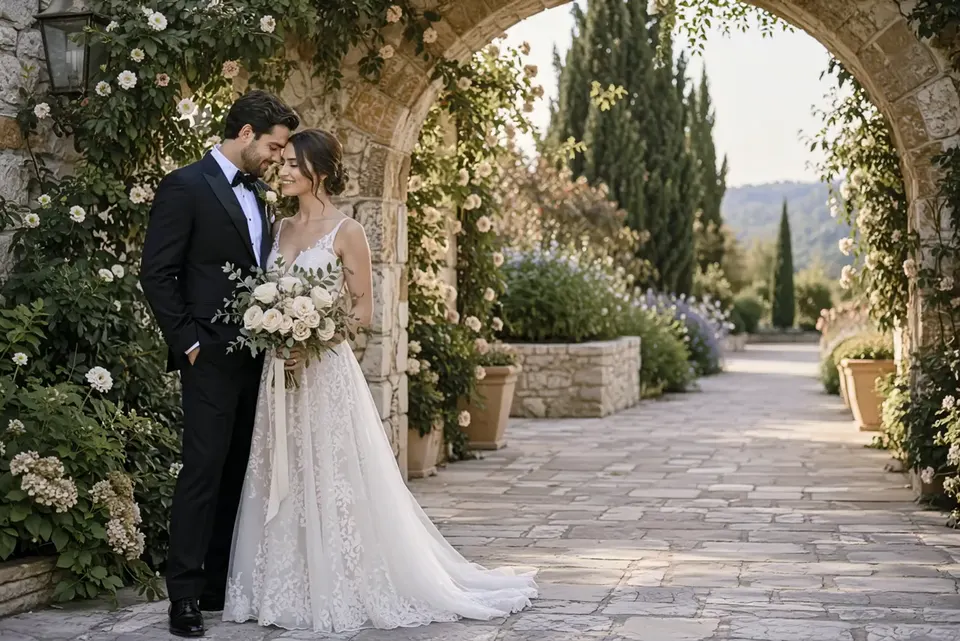
remove the guy in the red jacket behind them
What stays
What changes
What you bring
One clip, a request in plain words and, when a look matters, photos.
FRAMING AND LENGTH
The edit comes back with the framing and length of your clip and nothing cropped, so a vertical clip stays vertical and a wide one stays wide. You pick 720p or 1080p, and the result is an MP4 ready for the timeline of the editor you already use.
SOUND
Aisma keeps your original audio. Edits change what you see, not what you hear, so a toast, a voiceover or the music playing as you filmed stays as recorded.
THE REST OF THE TAKE
Faces, gestures and the camera move stay as filmed unless your request asks for something else, and a shot your request doesn’t touch stays exactly as you shot it. To change only part of the clip, give a time, as in “from 0:04 to 0:09.” Times count from the start of your clip, and outside them it plays as filmed.
If a detail near the change must look exactly the same, name it in a second sentence: “Keep his face, his earring and the wall behind him.” With two people in the frame, give the one who stays a sentence of their own. Our guide to writing a video edit prompt has more, from real briefs.
YOUR LIBRARY
Your clip, any photos you add and the finished edit are private to your account: only you can open them in your Library, each through a short-lived link. Delete any finished task from its menu whenever you like.
REAL EDITS
HOW IT WORKS
MP4 or MOV, 2–60 seconds, up to 500 MB. Your original framing is kept.
In plain words. Add up to 10 photos when a specific look matters.
Pick 720p or 1080p. Aisma shows the credits first, and the finished edit arrives in your private Library.
A FEW GOOD QUESTIONS
Yes. Nothing is cropped: the edit has the same framing and length as your clip, in 720p or 1080p.
Yes. Aisma keeps your clip’s original audio, voices and music included, so the edit sounds the way you recorded it.
They stay as filmed. A shot your request doesn’t touch comes back as you shot it, and its credits go back to your balance.
Yes. Describe the person to change by what they wear or where they stand, and give the one who stays a sentence of their own: “Keep her dark shirt and necklace exactly as they are.”
Only you. Your uploads and results are private to your account, and Aisma doesn’t sell your videos or show ads in the product.
Write to support@aisma.ai, or open the help center for every other answer.