 aisma
How long can a video be in Aisma?
Clips of 2 to 60 seconds, the files and shapes Aisma takes, and photo sizes.
Video length and formatsUpload a clip of 2 to 60 seconds and name the look in plain words, such as “turn this video into a comic drawing” or “make this video look like it’s made of paper,” then say what should stay. Aisma redraws every frame in that look while the movement, the timing and your framing follow the original, and your sound stays as recorded.
Updated November 21, 2026
Jump to the questions
turn everything in this video into plasticine
LOOKS TO ASK FOR
YOUR REQUEST
Ask for one look per request: a material such as wool, paper or clay, or an art style such as a comic drawing or a watercolor painting. Add a sentence for what must stay, like “keep every step the same” or “keep my hands moving the same way.”
For a specific style, describe it in a few plain words. To try another look on the same clip, recreate the edit from your Library; nothing is charged until you press Generate.
THE WHOLE FRAME OR THE SETTING
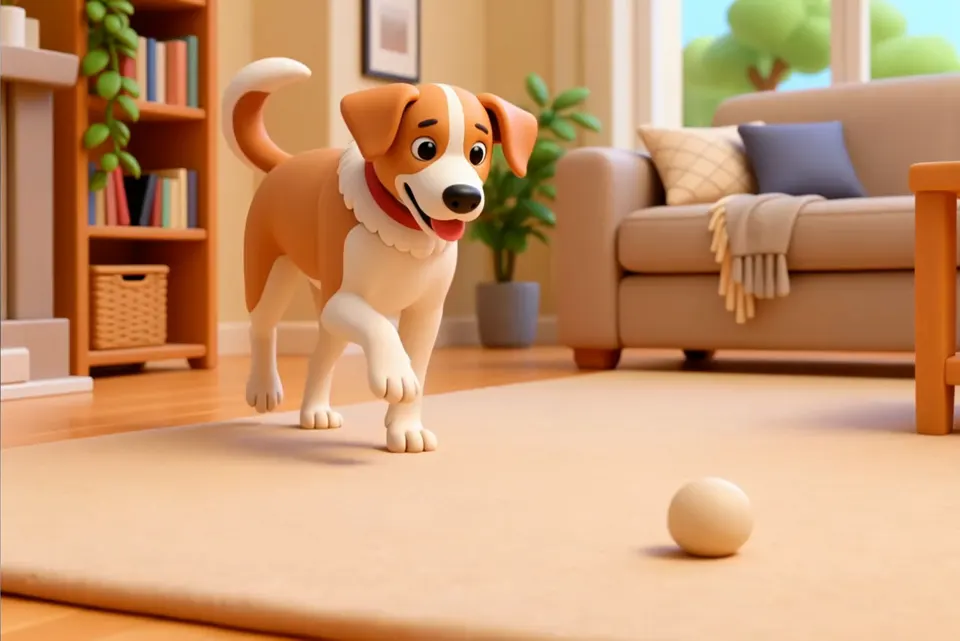
A full restyle redraws everything in the frame, your subject included: in our watercolor walk, the woman is painted along with the room, face and clothes. If a person needs to stay photographic, restyle only the setting and say they stay as filmed: “turn the living room into cut paper, keep the dog as filmed.”
Want your subject somewhere else instead, in a place that looks real? That’s a background change, covered in our article on changing a video background.
WHAT STAYS
The movement and the timing come from your take, so the restyled clip lines up with the original. The dog on our restyle page hops at the same moment as felt, paper, ink and clay, and you can cut between the versions in the editor you already use.
A restyle is one of the edits the same request box takes, beside a new outfit or a new place. Our video to video AI page plays one clip taken all three ways, and our guide on how to edit a video with AI follows one real edit from upload to result.
REAL RESTYLES
Frames from real Aisma edits. Some were recorded with a previous version of Aisma.
HOW IT WORKS
MP4 or MOV, 2–60 seconds, up to 500 MB. Your original framing is kept.
In plain words. Add up to 10 photos when a specific look matters.
Pick 720p or 1080p. Aisma shows the credits first, and the finished edit arrives in your private Library.
A FEW GOOD QUESTIONS
Up to 60 seconds: any clip of 2 to 60 seconds, as an MP4 or MOV file of up to 500 MB, vertical, square or horizontal. The new look carries through the whole clip, every shot included.
Yes. Ask for it in plain words, such as “turn this video into a comic drawing.” The comic version of the dog on our restyle page came back with every surface outlined in ink and filled with flat color.
Yes. Aisma runs in the iPhone and iPad app (iOS 16.4 or later), in the Android app and in the browser at aisma.ai. Pick the clip, name the look and generate.
An MP4 of your clip in its new look, in 720p by default or 1080p if you pick it before you generate, at 24 fps and with the clip’s length, framing and original audio. It lands in your private Library, where Save video keeps it on your device.
Yes. A restyle starts from a clip you already have, and your clip and the restyled edit are private to your account: only you can open them in your Library, each through a short-lived link.
Write to support@aisma.ai, or open the help center for every other answer.