 aisma
How long can a video be in Aisma?
Clips of 2 to 60 seconds, the files and shapes Aisma takes, and photo sizes.
Video length and formatsUpload a clip of 2 to 60 seconds, describe the new place in a sentence or add a photo of it, and say who stays. Aisma builds the new setting behind the people in every shot and keeps their movement, your framing and your original sound.
Updated November 21, 2026
Jump to the questions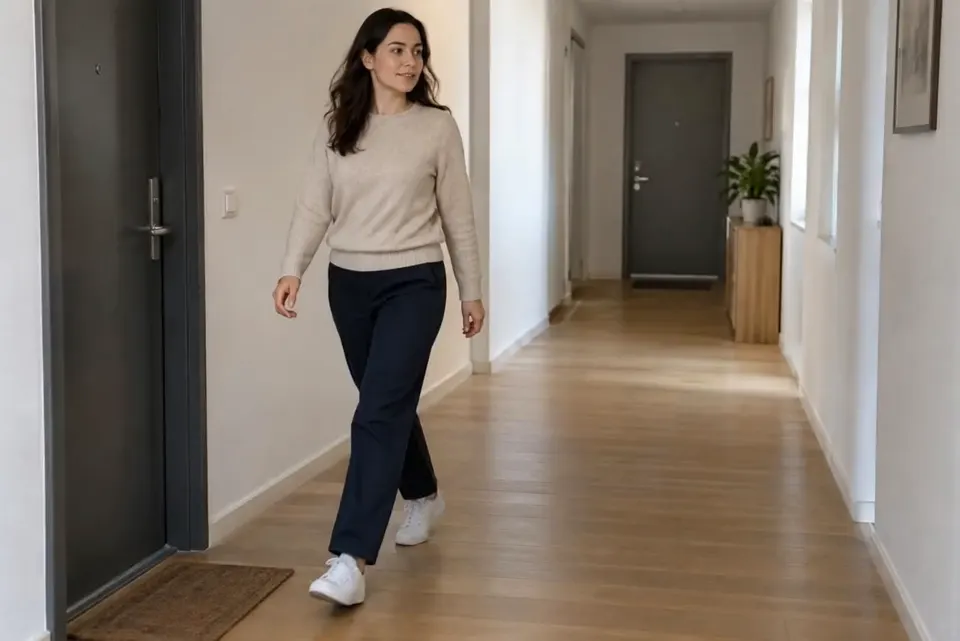
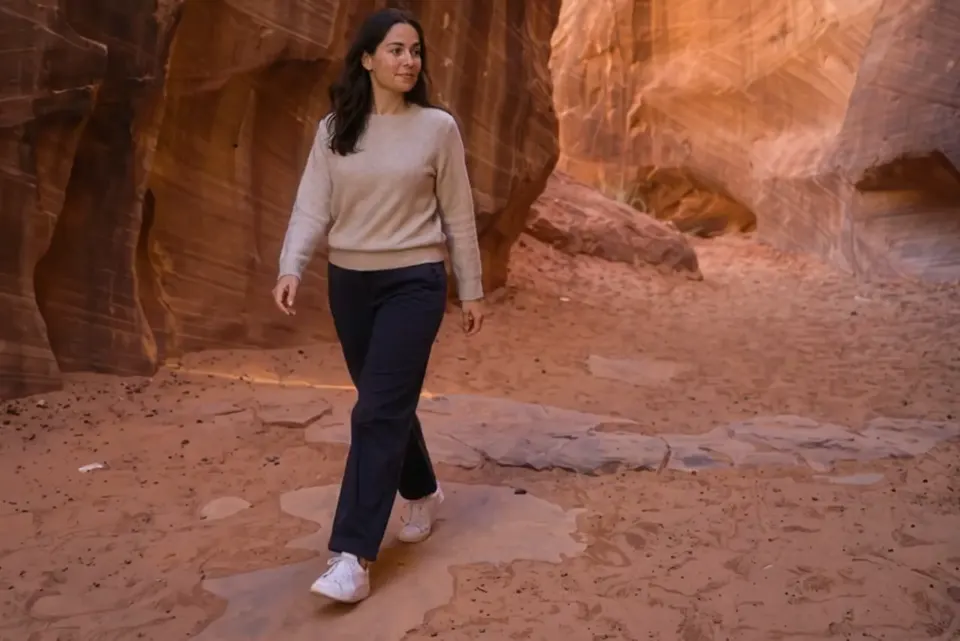
change the background to a red canyon at sunset
What stays
What changes
What you bring
One clip + a sentence about the new place, or its photo
WORDS OR A PHOTO
Most new places need only words. Name the place and its light, such as “a red canyon at sunset,” then add a sentence for what stays: “Keep the woman, her clothes and the camera move.” Every background on our video background changer started from a written request like that.
For a real spot, like your shop or a beach you love, add its photo and point to it by number: “use the beach in Photo 1 as the new background.” Aisma uses the photo as a guide and builds that place around the people. An edit takes up to 10 photos, as JPEG, PNG or WebP files of up to 20 MB each.
NO GREEN SCREEN
Aisma renders the people and the new place together in every frame, so there’s no green screen, no mask and no cut-out edge around hair and hands. When the camera moves, the new place moves with it: in our corridor walk, the canyon walls slide past at the camera’s pace for all 10 seconds.
To have the light on them match the new place, say so, as in “warmer light on her face and sweater.” Faces, clothes and gestures stay as filmed unless your request asks for something else.
SHOTS AND SECONDS
Your request applies across the whole clip, so a clip with several shots or quick cuts comes back as one video with the new place in every shot. To change the place for part of it, give the time: “change the background to a snowy street from 0:05 to the end.” Outside those seconds the clip plays as filmed.
Weighing a green screen, rotoscoping or a remover app instead? Our guide on how to change the background of a video compares all four ways on a real edit.
REAL EDITS
Frames from real Aisma edits. Some were recorded with a previous version of Aisma.
HOW IT WORKS
MP4 or MOV, 2–60 seconds, up to 500 MB. Your original framing is kept.
In plain words. Add up to 10 photos when a specific look matters.
Pick 720p or 1080p. Aisma shows the credits first, and the finished edit arrives in your private Library.
A FEW GOOD QUESTIONS
Up to 60 seconds: any clip of 2 to 60 seconds, as an MP4 or MOV file of up to 500 MB, filmed vertical, square or horizontal. The new place carries through every shot, and the edit comes back at the same length.
Yes. Aisma runs in the iPhone and iPad app (iOS 16.4 or later), in the Android app and in the browser at aisma.ai. Film the clip, open it in Aisma, describe the new place and generate; sign in and your Library comes with you to every device.
Yes. Aisma always starts from a clip you already have, filmed in front of whatever wall, room or street was there, so nothing has to be planned before the shoot.
An MP4 of the whole clip with the new place in it, in 720p by default or 1080p if you pick it before you generate, with your clip’s length, framing and original audio. It waits in your private Library, where Save video keeps it on your device.
Yes. Your clip, any photo of the place and the finished edit are private to your account: only you can open them in your Library, each through a short-lived link.
Write to support@aisma.ai, or open the help center for every other answer.