 aisma
How long can a video be in Aisma?
Clips of 2 to 60 seconds, the files and shapes Aisma takes, and photo sizes.
Video length and formatsClips where the thing you want changed is easy to see work best: in view for most of the take, in good light and not hidden behind hands or other people. Bring one clip per edit, from 2 seconds up to a full 60, and Aisma carries your request through every shot in it, with your framing and original audio kept.
Updated November 24, 2026
Jump to the questions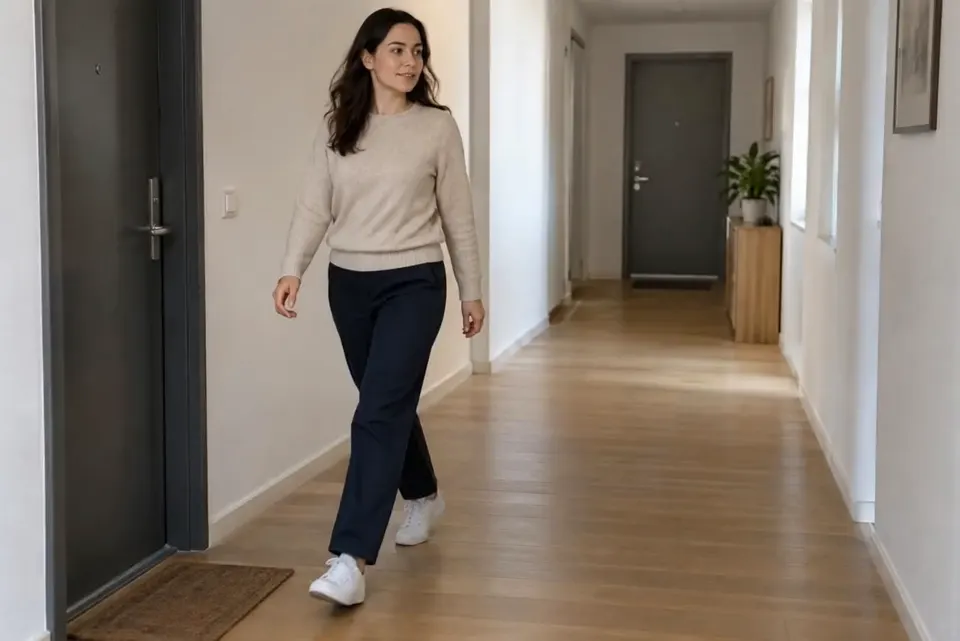
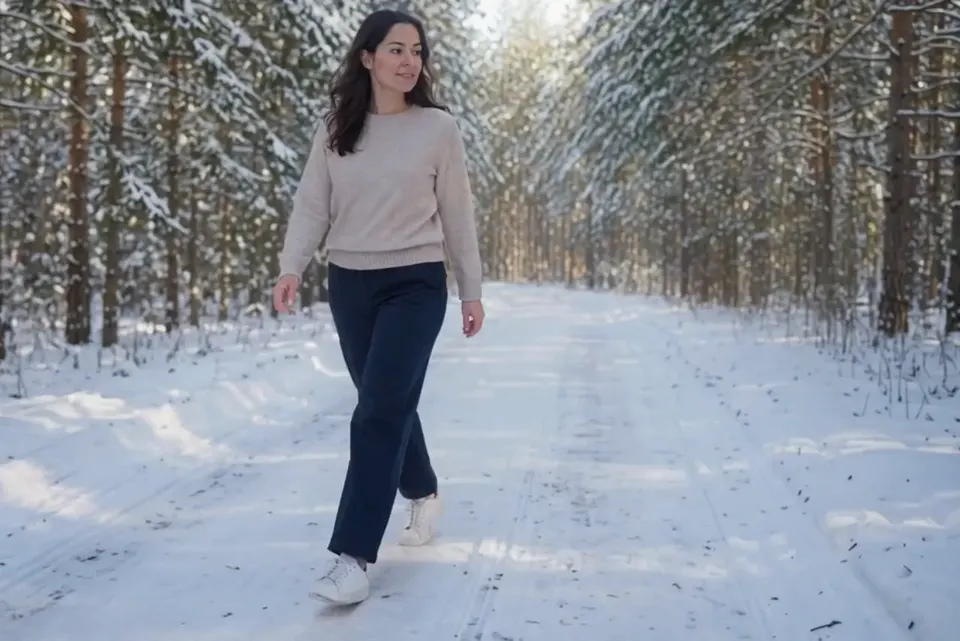
change the background to a snowy forest
GOOD TAKES
WHAT YOU CHANGE
Pick the take where the face, garment, product or object you want changed shows clearly for most of the clip: a product turned toward the camera, a face at about arm’s length, an outfit seen from head to toe.
For a removal, a clip where the same kind of background surrounds what goes, like sand, a lawn or a plain wall, gives the most natural fill, as in the beach walk on our object removal page.
LIGHT AND CAMERA
Daylight or a bright room helps faces, fabrics and labels read clearly. A steady hand or a tripod suits products and effects; for walks and pans, move the camera smoothly, and the edit moves with it, as in the corridor walk at the top, now a snowy forest path.
LENGTH AND SHOTS
Each edit takes one video of 2 to 60 seconds, as an MP4 or MOV file of up to 500 MB: room for a whole Reel, a product demo or a full minute of a talk, every shot and cut included. For a longer video, edit it in parts of up to 60 seconds; our article on video length and formats has the rest.
YOUR REQUEST
Name the thing to change by what it looks like and where it is, then add a sentence for what must stay: “Keep her face, the necklace and the camera move.” Our guide on how to write a video edit prompt has more wording from real briefs, and our article on reference photos covers what to photograph.
REAL EDITS
HOW IT WORKS
MP4 or MOV, 2–60 seconds, up to 500 MB. Your original framing is kept.
In plain words. Add up to 10 photos when a specific look matters.
Pick 720p or 1080p. Aisma shows the credits first, and the finished edit arrives in your private Library.
A FEW GOOD QUESTIONS
Anything from 2 seconds up to a full 60. Aisma edits the whole clip you choose, so trim it to the moment you need first; a shorter clip is ready sooner.
Yes. Your request applies in every shot unless you give it a time, such as “from 0:05 to 0:12,” and a shot it doesn’t touch comes back exactly as filmed.
Yes, in the Aisma app for iPhone and iPad (iOS 16.4 or later) or Android, or at aisma.ai. Our article on editing a vertical video has tips for phone clips.
No. Places, materials, effects, colors and removals work from words alone; add a photo when the result has to match your product, a certain jacket or a particular person.
Yes. Open Clips under the finished video and redo one part with a clarification; Aisma shows that part’s price in credits first. Our article on redoing one clip has the steps.
Write to support@aisma.ai, or open the help center for every other answer.